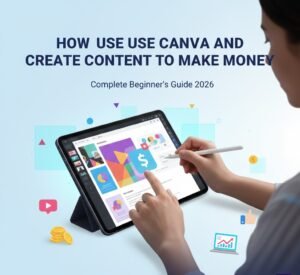



In recent years, Artificial Intelligence (AI) has transformed the way we create content and earn money online. One of the most powerful and beginner-friendly tools in this space is Canva AI. What started as a simple design platform has evolved into a full AI-powered ecosystem that allows anyone to create professional designs and generate real income online, even without prior design experience.
In this in-depth guide, you’ll learn what Canva AI is, how to use its AI features step by step, and multiple proven ways to make money with Canva AI.
What Is Canva AI?
Canva AI is a collection of artificial intelligence tools built into the Canva platform. These tools help users automatically create designs, write content, generate images, and optimize visuals with minimal effort.
Canva AI is designed for:
- Beginners with no design background
- Freelancers and content creators
- Small business owners
- Bloggers and marketers
It combines design automation + AI writing + image generation, making it one of the best AI tools for online income.
Key Canva AI Features Explained
1. Magic Design
Magic Design allows you to enter a short text prompt (or upload content), and Canva instantly generates complete, ready-to-use designs such as:
- Social media posts
- Presentations
- Posters
- Flyers
This feature saves hours of manual design work.
2. Magic Write (AI Text Generator)
Magic Write helps you generate:
- Social media captions
- Blog outlines
- Marketing copy
- Product descriptions
- Email content
It’s perfect for content creators and digital marketers.
3. Text to Image (AI Image Generator)
With Text to Image, you can type a simple description, and Canva AI generates unique images.
This is ideal for:
- Thumbnails
- Blog images
- Print-on-demand designs
- Social media graphics
4. Background Remover & AI Photo Editing
Canva AI can automatically:
- Remove backgrounds
- Enhance images
- Resize designs for different platforms
This feature is extremely valuable for eCommerce and branding.
Is Canva AI Free?
Yes. Canva AI offers powerful free features, and you can make money using the free plan.
Canva Pro unlocks additional tools, but many income methods work perfectly with the free version.
Step-by-Step: How to Start Using Canva AI
Step 1: Create a Free Canva Account
Go to Canva’s website and sign up using your email or Google account.
Step 2: Explore AI Tools
Once logged in:
- Open “Magic Design”
- Try “Magic Write”
- Test “Text to Image”
Spend time experimenting to understand how each tool works.
Step 3: Choose One Income Method
Avoid trying everything at once. Pick one clear monetization path and focus on it.
Proven Ways to Make Money with Canva AI
1. Freelance Design Services (Highly Profitable)
Use Canva AI to offer services such as:
- Social media post design
- Instagram reels covers
- YouTube thumbnails
- Facebook ads creatives
Sell your services on:
- Fiverr
- Upwork
- Freelancer
- PeoplePerHour
💡 Tip: Many clients don’t care what tool you use—only results matter.
2. Sell Canva Templates (Passive Income)
Create and sell:
- Instagram templates
- Resume (CV) templates
- Business presentations
- Media kits
- Planners and journals
Sell them on platforms like:
- Etsy
- Gumroad
- Shopify
Once uploaded, templates can generate income repeatedly.
3. Print on Demand (POD)
With Canva AI, you can design:
- T-shirts
- Hoodies
- Mugs
- Posters
- Phone cases
Upload designs to:
- Redbubble
- Teespring
- Merch by Amazon
No inventory needed—design once, sell forever.
4. Content Creation & Social Media Monetization
Use Canva AI to create:
- Instagram Reels
- TikTok videos
- Pinterest pins
- YouTube thumbnails
Earn money through:
- Ad revenue
- Brand deals
- Affiliate marketing
5. Blogging + Google AdSense
Use Magic Write to:
- Generate blog outlines
- Create graphics
- Design featured images
Then monetize your blog with:
- Google AdSense
- Affiliate programs
This is a long-term and scalable income method.
6. Sell Digital Products
Create and sell:
- eBooks
- PDFs
- Checklists
- Courses
- Guides
Canva AI helps with:
- Writing content
- Designing layouts
- Professional formatting
Best Niches for Canva AI Monetization
- Small businesses
- Coaches & consultants
- Real estate
- Fitness & health
- E-commerce stores
- Content creators
- Personal branding
Tips to Maximize Your Earnings
- Focus on one niche
- Combine AI with human creativity
- Follow design trends
- Optimize titles and descriptions for SEO
- Deliver consistent quality
- Build a portfolio
Why Canva AI Is a Game-Changer
- No advanced skills required
- Free to start
- Fast and scalable
- Global demand
- Works on any device
- Suitable for beginners and professionals
Final Thoughts
Canva AI is more than a design tool—it’s a powerful income engine.
With the right strategy, even beginners can turn Canva AI into a reliable online business. Whether you want side income or a full-time digital career, Canva AI gives you the tools to start today.
Start small, stay consistent, and grow step by step. The opportunity is real.
- Canva AI
- Make money with Canva
- Canva AI tools
- Canva for beginners
- Online income with AI
- Digital products with Canva